DailyExposition

  • Subscribe to our RSS feed.
  • Twitter
  • StumbleUpon
  • Reddit
  • Facebook
  • Digg

Friday, May 31, 2013

Editor's Choice For Best Paid Antivirus Program

Posted on 2:52 PM by Unknown

1. Bitdefender Total Security 2013

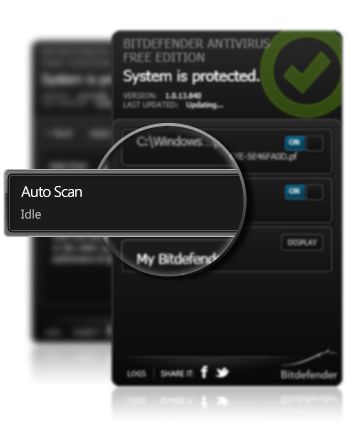
Not only does this antivirus program has the best protection when it came to testing, but it has a very clean interface during my testing. The program is very smooth, but it does have some missing components that they should add including a major update over the My Bitdefender. However, this program is very clean and makes it so simple that anyone can use it.

2. Kaspersky Pure 3.0 Total Security

Kaspersky has never failed to disappoint use when it comes to protection. The program has every tool that the average user would need, and it is one of the highest rated antivirus programs on the market. Coming out of the gate Kaspersky can be strange to use however once you get used to it you wont want to get rid of it.

3. Norton 360 

While many people shake their heads when it comes to the idea of using a Norton product, there is no real reason to fear this program. While Norton does have issues with uninstalling which forces people to search in the registry and wipe the Norton files for good, the fact remains that it has really high testing scores. Norton has never disappointed me when it came to its scores, but it lacks the ability to easily remove the program.
Read More
Posted in Editor's Choice | No comments

Editors Choice For Best Free Antivirus Software

Posted on 2:38 PM by Unknown

We will give you our top 3 free antivirus software for the month of May.

1. Bitdefender Free Antivirus

When this software was first released I was a little skeptical over the protection offered by the software. However after recent changes they have made coupled with their amazing scores on the Av-Test Bitdefender was able to take the Gold for the best free antivirus software.

2. Avast Free Antivirus 8

Avast was the king of free antivirus protection however it has lost that title in recent times. However, the king might rise again because they keep adding features that make the product hard to beat. The program lacks in protection which is why that it gets the second spot. Maybe this will change for the next month, but who knows.

3. Ad Aware Free Antivirus+

Then finally we have Ad Aware Free Antivirus+ which has done well on the testing and has constant support from the developers. The program offers the best Antispyware of any program that I have seen, and that is coupled with two separate antivirus engines which have both done well. Those two engines happen to be their own engine, and the Vipre engine which is a high scoring antivirus software.

Notes
Please keep in mind that just because a program was not listed on the choices does not make it bad. I look for features, and protection scoring. These three have done well consistently, and I think that they are worth of getting my editors choice. This list can change and will change next month so congratulations to these companies.
Read More
Posted in Editor's Choice | No comments

Thursday, May 30, 2013

Bitdefender Free Antivirus Review

Posted on 12:10 AM by Unknown

Above is the full video review were I give you the breakdown and the looks of the program.

Protection

When it comes to protection ratings Bitdefender is the best according to Av-test.org who has given Bitdefender a 100% rating two times in a row. This protection rating is truly amazing which is why I recommend this or Kaspersky when paying. However, Bitdefender has said lets try to branch out by offering a free program. Now this program does offer you all the essential protection that you need to survive the internet. This coupled with the Bitdefender Traffic light makes your computer an unstoppable force. The program is able to stay light but protect you by doing it in a very new way. Most antivirus products scan pages and running files. However if the file does not run then you could still be infected, and they do not do a proactive scan while Bitdefender says lets take that system and add one new idea. This program scans all download programs and files. This is meant to offer a more secure level of protection, while other products scan for behaviour Bitdefender says let me do the hard work and you just relax, but hey relaxing is easy when you have the best Antivirus product on the market (according to test results).

Features

This program while light has a strange way of showing its features which puts a lot of people off. However, I don't mind because I can see what it is that they are scanning and monitoring.  It


  • Full protection. This program gives you all of the necessary shields for free.
  • Idle Scanning- While you don't do anything Bitdefender takes the time to scan your computer for malware by scanning important sectors and then it breaks down to more common files.
  • My Bitdefender Login- This service will allow your account to monitor what services you have connected. This is also a great place to setup your facebook and twitter protection.
  • New Quarantine Menu- Bitdefender released a patch that now moves items to Quarantine rather than deleting them on the spot. 
  • On Demand Scanner- You have the ability to right click on any file/folder/disk and Bitdefender will scan the selected items. Most antivirus programs have this ability with the exception of a few (Windows Defender), but it is still nice to have this feature since there is no pre built scans in Bitdefender Free.
Settings
If you are a power user then this is not the product that you are looking for. However why pass up better protection for tools that you will never use? The fact is that there are no settings in this product from the time you install it until you remove it there are not settings. However, when a program that is made around an Auto-Pilot idea what would you expect. Now while this is a slight annoyance it is respectable because it makes our lives easier and power users/ data hogs are not a large group so naturally they are not the target market.

Recommendation ( To Possible Users)
You should use this program if you are using an old computer and need a way to protect it. This program is great because it is consuming about 9mb worth of RAM which is really light as far as antivirus programs go. If you are not concerned with memory usage, but rather the ability to set it up and go then this is definitely the program for you. You might just want a great antivirus program for free and why not choose the best (according to testing). 

Test Results
From the last 3 tests provided by Av-test.org Bitdefender Scored a perfect score. To put this in perspective Microsoft Security Essentials has failed 3 times in a row, so why settle for a heavier program with less protection?
http://www.av-test.org/en/tests/home-user/windows-xp/marapr-2013/
Download Bitdefender Free Here: http://www.bitdefender.com/solutions/free.html

Changes (Towards To Company)

- Give us more information from My Bitdefender. Give us logs, detections, websites blocked, something that will give us information about the security of our computer and web surfing habits.

- Allow a custom website block in Bitdefender (All Versions). The reason I say this is because Bitdefender can't give us 100% security and I have a couple of my old block lists sitting around that I can add. This will also work well with parental blocking.

- Allow a setting for Bitdefender to scan with certain parameters, the traditional scan types (Quick, Full, Smart).

Question
What are your thoughts about Bitdefender's Free Antivirus? 


Read More
Posted in Product Reviews | No comments

Wednesday, May 29, 2013

Trojan.Zbot!gen44

Posted on 10:11 PM by Unknown
This malware since our last update has had 3 different variations with a few changes and still has a low threat rate. However let us jump into this malware and see what the major changes were, and what they could mean for you. Now please keep in mind that this family is known as the Zeus Bot which was a big threat "back in the day".


Effects
This malware was designed to specifically go after important bank information and goes through a number of ways to get it. The trojan will even try to go through your saved files and passwords on internet explorer to retrieve important passwords.  While this malware is hard to deal with if you don't have Antivirus it is actually a very low level threat as far as malware goes. While the malware may pose a threat to infected computers there are not a lot of infections. According to Symantec there could be as few as 1,000 (at the time of this post) worth of infected computers. Now if you believe you are one of these few then be careful and try to remove the malware as fast as possible. This malware is controlled by the creator or a bot program and it can be commanded to:  shutdown the computer, reboot the computer, delete files, and delete important system files which requires you to reinstall the operating system. However, you need to keep in mind that these threats are not as bad as other malware because you still have full access to your computer and you remove the malware with a simple secondary scanner that are in the lists below.

Detection
While this malware is not the easiest to detect, there are some obvious signs. The first one being strange or unscheduled shutdowns/restarts. This is generally the sign of malware or some sort of malware issue. You might also (hopefully not) get a warning from one of your accounts, whether it is Google, Paypal or anything else please read these if you know they are from the real company. Your computer will also start to slowdown from the malware which is typical. 

Please Follow My Removal and Protection Guide


Removal 
You can remove the malware by using the secondary scanners below, and they will detect the malware. However,you need to realize that if one of them says that your computer is safe there is still a chance that the computer is infected with some sort of malware. So make sure to use two or three of the scanners below. I recommend that you use Malwarebytes and HitmanPro because they are the most powerful secondary scanners on the market. With this malware we also recommend that you change any and all passwords that could have been compromised from this attack, because if you don't the person that sent you the malware might be able to access your accounts and change the log in information.

Protection
If you want to protect against the malware you will want an up to date antivirus and firewall. I recommend that you use Ad Aware Antivirus or Avast Free Antivirus because these two have always found malware that someone else has missed. But make sure that you only use one of the above antivirus products because we want to avoid confliction between them. For your firewall I recommend that you use Comodo free firewall which offers the best HIPS protection in the industry, and it contains a ton of extra features like the Sandbox and the Comodo Kiosk.


Secondary Malware Scanners
 HitmanPro: http://www.surfright.nl/en/hitmanpro/
Active Scan: http://www.pandasecurity.com/homeusers/solutions/activescan/
Malwarebytes: http://www.malwarebytes.org/
Super AntiSpyware: http://www.superantispyware.com/
Bitdefender Quick Scan: http://quickscan.bitdefender.com/
Norton Power Eraser: http://security.symantec.com/nbrt/npe.aspx
Read More
Posted in malware encyclopedia | No comments

Saturday, May 25, 2013

Infostealer!gen4

Posted on 11:15 AM by Unknown
This malware was first identified by Symantec, and this is the signature for a family fo Trojans which as you can guess from the name is meant to steal passwords and user information. This malware is actually not very common, and it is actually a low threat, but the malware does have some unique characteristics that make it difficult for an antivirus product to detect it. Now since the malware is such a low threat there is a good chance that your antivirus product already has the signatures in its database or heuristics engine never the less lets jump in.


Effects
This malware will get onto your computer and try to use an encryption method from the program/file, and it tries to slip by the antivirus program that you are using. It will then try to get private information from your browsers saved passwords form, and it will try to gather information from email clients that might be on the computer. This malware is also hard to detect because of the encryption method that it is using but with all malware there is a sign that your computer might be infected.

Detection
If you believe that your computer is infected with this malware then there are some hints that you can use to try and diagnose the computer. The first thing is that your computer will be slower, and this is generally associated with all malware so you can tell that something is wrong with your computer. You might also notice account warnings from Google or another company warning about someone attempting an unauthorized access to your account. There is a chance you can't access your email client or other online accounts.

Removal
You can remove the malware by using the secondary scanners below, and they will detect the malware. However you need to realize that if one of them says that your computer is safe there is still a chance that the computer is infected with some sort of malware. So make sure to use two or three of the scanners below. I recommend that you use Malwarebytes and HitmanPro because they are the most powerful secondary scanners on the market. With this malware we also recommend that you change any and all passwords that could have been compromised from this attack, because if you don't the person that sent you the malware might be able to access your accounts and change the log in information.

Protection
If you want to protect against the malware you will want an up to date antivirus and firewall. I recommend that you use Ad Aware Antivirus or Avast Free Antivirus because these two have always found malware that someone else has missed. But make sure that you only use one of the above antivirus products because we want to avoid confliction between them. For your firewall I recommend that you use Comodo free firewall which offers the best HIPS protection in the industry, and it contains a ton of extra features like the Sandbox and the Comodo Kiosk.

Secondary Malware Scanners 
HitmanPro: http://www.surfright.nl/en/hitmanpro/
Panda Active Scan: http://www.pandasecurity.com/homeusers/solutions/activescan/
Malwarebytes: http://www.malwarebytes.org/
Super AntiSpyware: http://www.superantispyware.com/
Bitdefender Quick Scan: http://quickscan.bitdefender.com/
Norton Power Eraser: http://security.symantec.com/nbrt/npe.aspx
Read More
Posted in malware encyclopedia | No comments

Friday, May 24, 2013

Skype Might Not Be That Private

Posted on 10:41 PM by Unknown


Microsoft might be scanning all of your Skype messages for malware and spam. This is nothing new however we don't quiet know the extent of the information being gathered however Microsoft stands by that they are doing it for the security of the users, but can we be sure? Microsoft attacked Google over privacy issues about scanning and reading emails and yet here they are doing it. Now while Google does it for targeted ads, malware, spam protection as of now I can say Microsoft is using it for malware and spam protection. None of these so does this pose as a security and privacy issue to us? Lets find out!


Privacy Issues
While we can't confirm what Microsoft is doing with those scanned messages we do know that they scan them for malware and spam, but were does this information go? Is Microsoft storing the information if not were does it go and what is the deletion process that it goes through? Microsoft might be under some heat from security and privacy advocates about this so called scanning. Now the issue that lies with this is the fact that Microsoft is in the process of ruining Google's reputation however they are now in just as much trouble, but they are better at hiding this because no one bothers to taunt them. So do you feel comfortable with them scanning all of your Skype messages I am because I don't care if they scan the messages so long as they don't READ them or have access to the messages sent.

Security Issues
Other than the normal security flaws that you get with any software this one has no real negatives and in theory is safer for you because they are scanning all of the messages. Now as i mentioned above there are a lot of privacy issues with this but since Microsoft would never release an official post or explanation over their process we are stuck and shrouded in mystery. Now there is still some major security issues with Skype and that is their password recovery system. For someone to get into your skype account all they need to know is your
1. Skype Name
2. Email Adress
3. Registered Email Address (same as 2)
4. When did you create your skype account This is by year
5. Country
6. Payment method
7. 3 contacts.

Now while to most of us this would be hard to crack it is actually fairly simple. I can get all of this from your account details. Except for Payment method and I can say free and get it right on most chances because most people don't pay for Skype credits. So that is still a major security hole for Skype and they need to fix this broken system.

Summary
So Microsoft needs to do a lot of work and explaining because if they are storing the messages then there are a lot of people who will question what for and they will want more information. Then we have to worry about the weak password recovery leads me to believe that Microsoft will make some major changes within the coming months towards the most popular VOIP service around.

Read More
Posted in | No comments

Wednesday, May 22, 2013

Trojan.Blackrev

Posted on 7:39 PM by Unknown
This malware was first analyzed by Symantec go visit them why don't you?
This malware is was first discovered by the Symantec corporation, and they found this to be a low level threat I am going to disagree with that statement, and I will explain why.


What Does It Do?

This malware infects the computer by downloading some sort of rogue software, and it is meant to turn the computer into a zombie. They then use this new "zombie" computer to send out DDOS attacks to the websites of the creators choice. This malware once installed onto the computer will change its name so that it is not noticeable to you. The most common name is explorer.exe which would be the windows explorer name so you would not think anything of the program. Something that you must keep in mind is about how much has the program spread. Now the malware is very well contained, and there is not any large breakouts as of now so we are in the clear for now, but the only way to prevent the malware is for you to learn and protect your self from it.

Symptoms

Your computer will restart at random times for no apparent reason, this can be used as a way for the malware to through you off or to prevent you from uninstalling it. This is generally a clear cut sign that there is a form of malware on the computer or that your computer is facing hardware issues. You can also notice computer slowdown because all malware does tend a tool on your computer especially one that has been "zombified". You will also notice your computer acting strangely whether it is random applications opening or you are visiting random websites without actually doing anything. When this happens it means that the malware creator has already taken control of the computer.

Threat Level Medium

The reason that I classify this malware as a medium level threat is because of the goal and the use of the malware. Now while the malware is not common it is still a threat if you had the malware, and this is something that you don't want to have. Now it is not classified as High, Severe, or Critical is because it is easily stopped such as turning the computer off and using the AVG rescue CD to remove it. It is higher than a level of Low, or Very Low is because the malware does some serious damage and could do more if more people had the malware.

Removal

You can remove the malware by using the secondary scanners below, and they will detect the malware. However you need to realize that if one of them says that your computer is safe there is still a chance that the computer is infected with some sort of malware. So make sure to use two or three of the scanners below. I recommend that you use Malwarebytes and HitmanPro because they are the most powerful secondary scanners on the market. If you are having a hard time accessing the internet then you should use the AVG Rescue CD which can be found here.

Protection


If you want to protect against the malware you will want an up to date antivirus and firewall. I recommend that you use Ad Aware Antivirus or Avast Free Antivirus because these two have always found malware that someone else has missed. But make sure that you only use one of the above antivirus products because we want to avoid confliction between them. For your firewall I recommend that you use Comodo free firewall which offers the best HIPS protection in the industry, and it contains a ton of extra features like the Sandbox and the Comodo Kiosk.

Second Opinion Malware Scanners!

  • HitmanPro- http://www.surfright.nl/en/hitmanpro/
  • Panda Active Scan- http://www.pandasecurity.com/homeusers/solutions/activescan/
  • Malwarebytes- http://www.malwarebytes.org/
  • Super AntiSpyware- http://www.superantispyware.com/
  • Bitdefender Quick Scan- http://quickscan.bitdefender.com/
  • Norton Power Eraser- http://security.symantec.com/nbrt/npe.aspx
  • Kaspersky TDSSKiller- http://kaspersky-tdsskiller.en.softonic.com/
  • McAfee Stinger- http://www.mcafee.com/us/downloads/free-tools/stinger.aspx
  • Trend Micro House Call- http://housecall.trendmicro.com/
  • Eset Onlne Scanner- http://www.eset.com/us/online-scanner/
  • Dr.Web CureIt! - http://www.freedrweb.com/cureit/
  • Read More
    Posted in malware, malware encyclopedia | No comments

    Tuesday, May 21, 2013

    Best Microsoft Office Replacements (Desktop)

    Posted on 3:58 PM by Unknown

    When it comes Microsoft office there is not a whole lot of competition that can beat the programs unique features, but those nice features come with a hefty price tag. Now while the office 360 program is meant to be cheaper some people prefer a free desktop version however such an item does not exist. So today I will give you 2 recommendations that I feel are the best office replacement software. Please remember that they are in order of best to worst and while these are free they might not have all of the features of Microsoft office.


    1. Libre Office

    Libre office is probably the most recognized free office replacement software that there is, but that is not what makes it the best. The program is better than its competitors because they allow third party extensions to be created. Now this program may be awkward to start with however once you get the program you will realize that it is very similar to Microsoft Office. Now you will need to remember that since this program is not Microsoft Office the default saving for mat is Open Document File or what ever application that you are using. These applications are in greater variety then you would think because the traditional office suite. Word, PowerPoint, Excel this is what we use. Microsoft said that is not enough so we get more items such as Word, PowerPoint, Excel, Publisher, One Note, Outlook, Access. Now Libre Office offers some different programs that you will appreciate. Libre Office includes: Text (Word), Spreadsheet (Excel), Presentation (PowerPoint), Drawing (Think of it as paint), Database (Access), Formula (Math, calculator equations). Then you can go to their main website and download add-ons for these programs which can make them easier and more effective. For instance right now I have Multi-Save, Alternative Searching, Additional Grammar and Spell Check.

    2. Kingsoft Free Office Suite
    This program comes from Kingsoft and offers strictly the basics. This program gives you Writer (Word) Presentation (PowerPoint), and Spreadsheet (Excel) while it does not come with a ton of added features this program is very solid and well funded. However compared to Libre Office, and Microsoft Office this program falls a little short. This program does not offer enough features paid or free version compared to their competitors, and they don't allow third part development like Libre office. Now while it does lack those features the program is actually a very powerful text editor and looks like a copy and pasted version of Microsoft Office. While that was an exaggeration this program does look a lot like Microsoft Office. So you should really only consider the program if you are very familiar with Microsoft Word.

    Summary

    When it comes to finding a desktop suite that offers the same features off Microsoft Office and is free there are few alternatives. However the option really is simple when it comes down to it and that is to use Libre Office. But everyone has their own opinion so tell me your thoughts about these programs below.

    Libre Office: http://www.libreoffice.org/
    Kingsoft: http://www.kingsoftstore.com/
    Read More
    Posted in Microsoft, Product Reviews | No comments

    Saturday, May 18, 2013

    Trojan.Zbot!gen41

    Posted on 8:42 AM by Unknown

    Today we will be discussing a new form of malware that was released 5/16/2013 and that is the
    Trojan.Zbot!gen41 this particular variation of trojan has very specific directions on what to target but at the same time it was poorly written and it is easy to detect. So lets dive into this new malware sample, and by the end of this you will know how to avoid the trojan and remove the program the program from your computer.


    Effects

    This malware was designed to specifically go after important bank information and goes through a number of ways to get it. The trojan will even try going through your saved files and passwords on internet explorer to retrieve important passwords. The Zeus trojan also goes through any programs such as Thunderbird which it will try to gather any passwords for the email accounts that are being used. So as you can tell the point of this program is to gather any and all passwords that it can get it's hands on. Now after the malware has gotten onto the computer it will try to download a worm which was identified by Symantec as the W32.Waledac. After the computer gets these malicious items on it the creator can feed the trojan commands and tell it to do various commands such as: shutdown the computer, reboot the computer, delete files, and delete important system files which requires you to reinstall the operating system.

    Signs Of Infection

    The computer will be running slower however this is commonly shared with all forms of malware. There are other main signs such as the computer randomly shutting down or rebooting which should not be happening but this is generally a clear cut sign of malware, or some form of a driver issue. Which might also lead to random shutdowns, but you want to check all possibilities before trying to fix the issue. So please go down to the secondary scanners and run any combination of them to see if your computer is infected.

    Removal

    You can remove the malware by using the secondary scanners below, and they will detect the malware. However you need to realize that if one of them says that your computer is safe there is still a chance that the computer is infected with some sort of malware. So make sure to use two or three of the scanners below. I recommend that you use Malwarebytes and HitmanPro because they are the most powerful secondary scanners on the market.


    Protection

    If you want to protect against the malware you will want an up to date antivirus and firewall. I recommend that you use Ad Aware Antivirus or Avast Free Antivirus because these two have always found malware that someone else has missed. But make sure that you only use one of the above antivirus products because we want to avoid confliction between them. For your firewall I recommend that you use Comodo free firewall which offers the best HIPS protection in the industry, and it contains a ton of extra features like the Sandbox and the Comodo Kiosk.

    Secondary Malware Scanners 

    1. HitmanPro- http://www.surfright.nl/en/hitmanpro/
    2. Panda Active Scan- http://www.pandasecurity.com/homeusers/solutions/activescan/
    3. Malwarebytes- http://www.malwarebytes.org/
    4. Super AntiSpyware- http://www.superantispyware.com/
    5. Bitdefender Quick Scan- http://quickscan.bitdefender.com/
    6. Norton Power Eraser- http://security.symantec.com/nbrt/npe.aspx
    7. Kaspersky TDSSKiller- http://kaspersky-tdsskiller.en.softonic.com/
    8. McAfee Stinger- http://www.mcafee.com/us/downloads/free-tools/stinger.aspx
    9. Trend Micro House Call- http://housecall.trendmicro.com/
    10. Eset Onlne Scanner- http://www.eset.com/us/online-scanner/
    11. Dr.Web CureIt! - http://www.freedrweb.com/cureit/
    Read More
    Posted in malware, malware encyclopedia | No comments

    Thursday, May 16, 2013

    Skype Bitcoin Malware

    Posted on 8:02 PM by Unknown

    The skype related malware is still going around, and it has turned thousands or even millions of computers into zombie computers that are meant to farm Bitcoins. This Bitcoin related malware has only made it more difficult for the currency to be taken seriously. However this is one threat that you don't want to have, but it is fairly easy to remove.

    How You Got It
    This malware is meant to spam onto skype and possibly other social networks such as Facebook. It has been reported that the most common message includes something about a picture of the person that they are referring to and when you click on the link you will download the malware. This might even take control of the account and use it for more spam links, but this was not confirmed. It is meant to infect the machine and farm the virtual currency the Bitcoin which has had a growing controversy over the years. However, they are becoming more valuable and are trading at a price equivalent to $100 +.

    What It Looks Like
    According to Kaspersky this malware is running under the process name of bitcoin-miner.exe -a 60 -l no -o http://suppp.cantvenlinea.biz:1942/ -u XXXXXX0000001@gmail.com -p XXXXXXXX according to Kaspersky. They also censored out the important information with XXXXX's so that no one would be harmed from this information. The process will farm them and send the information to the specified "wallet". This malware will not cause major damage to the machine, but it is best to change account information and to clean the computer with the secondary scanners below. So you can tell if you have this malware if you go into your task manager and go to the process' tab and if you have something with the above process name then you do have the malware. Your computer might also be running very poorly because the farming is meant to use as much CPU power so that the creator gets the most amount of coins.

    Removal
    You can use the secondary scanners below to remove the malware but you should also delete the original file first and then scan with the scanners below. The best thing is that the computer's internet will not be affected meaning that you can easily download one of the scanners below. Then go into your Microsoft account and change the password to Skype because that is one common mistake with a malware infection and that is people don't change their login information which means that you can still be sending out the spam.
    Goal Of The Malware
    This malware was made strictly for farming Bitcoins so that someone could make money and you were the computer power. Now the way that the malware was created and how well it grew is some what scary to Security Experts but at the same time you have to give the creator credit for being able to infect the thousands maybe millions of computers.

    Secondary Malware Scanners
    HitmanPro: http://www.surfright.nl/en/hitmanpro/
    Panda Active Scan: http://www.pandasecurity.com/homeusers/solutions/activescan/
    Malwarebytes: http://www.malwarebytes.org/
    Super AntiSpyware: http://www.superantispyware.com/
    Bitdefender Quick Scan: http://quickscan.bitdefender.com/
    Norton Power Eraser: http://security.symantec.com/nbrt/npe.aspx
    Read More
    Posted in malware encyclopedia, Microsoft | No comments

    Tuesday, May 14, 2013

    Comodo Firewall 6 Review

    Posted on 9:54 PM by Unknown


    I always had a bit of bias towards Comodo but since version 6 has had time to mature this program does very well, and I have to retract my earlier statement of recommending online armor. There are many reasons behind this and I will elaborate. You can also look under our computer security tab, and it shows our firewall recommendations, and it takes you right to the Comodo website. You should look at trying the program because there truly is no better firewall on the market.


    Features

    While many of us have the idea that all firewalls are equal we see that Comodo stomps on the competition with features and protection. We have a lot of "toys" and security settings to play with in this program but for the sake of simplicity lets elaborate on those at a later time.
    -Firewall - Kind of important.

    - Defense + - This is a technology that was developed by Comodo, and the point of it is to scan every action that is occurring and it warns you. While the pop ups are very annoying from a security aspect you are practically impregnable unless you allow the unsafe process to run by clicking allow. I find that this is annoying until you allow all of your programs.

    Scan- The program will scan for files and programs and compare them to Comodo's records and ratings. If the file is known it is given a rating. If not you generally will have the option to submit it for analysis. I recommend running this right after installation is complete.

    Sandbox- This allows you to run a program in a sandbox environment. It is best to use this when you are banking so that you prevent malware and hackers from getting into your accounts.
         Virtual Kiosk- This is an added feature from the sandbox that allows you to run in an instanced environment separate from your main desktop to prevent malware and keyloggers. I HIGHLY RECOMMEND THIS WHEN SHOPPING AND BANKING.

    Create A Rescue Disk- While you download this separately it is nice to include all the other tools as links in the program. I recommend running this if your computer does not start or you can't access the internet.

    Protection

    This program while may seem very simple to use it is actually very feature rich and can be complicated when editing settings. Don't mess around with any other features unless instructed to by someone like me or another person who knows what they are talking about. The program is rated as the most secure firewall on the market, and since it is free it must be hard to resist. On the leak test without being configured it scores about 250/340. This beats every other firewall out of the box but after my configuration the score came out to be a perfect 340/340. I was also able to terminate the test right after I completed the first test. Even when I used online armor I was not able to get a perfect score no matter what settings I had.
    Read More
    Posted in Product Reviews | No comments

    Monday, May 13, 2013

    Malware Removal Guide

    Posted on 12:00 PM by Unknown

    Our computers are a vital importance to all of us, and the one thing that we don't want is malware. Now the issue is that most computers are infected by some type of malware, and they might not even know it. The one thing that we don't want to do is trash a computer because it is infected with malware, and the sad thing is, is that seems to be the option that most people seem to take if they can't remove the malware. Now I want to tell you that this is not necessary and that I can give you free tools that will remove the malware and fix that machine to save you money. Now it can take some time to remove the malware but you must ask yourself is the computer worth it or would you rather waste the money. You remove the malware you save the computer. You want to buy a new one but since you removed that malware you can sell that old machine or pass it down to your child. Let's begin!

    Diagnosis Of Your Issue
    When you have an infection you want to first figure out how bad it is. So look at it like this what can you do with the malware on the computer.
    1. Does the computer start.
    2. Can you start the computer AND connect to the internet.
    3. Does my browser send me to another site.
    4. Does everything work, but there seems to be a slow down.

    Removal
    So let's say that your computer does not start up, and you know that this is the work of some sort of malware. You will want to use a scanner that scans the hard drive before windows even starts up. Now lucky for us there is a couple of tools that allow us to do that and the best part is that they are all free.

    So You Will Want To Use These Scanners
    1. Kaspersky Rescue Disk http://support.kaspersky.com/4162
    2. AVG Rescue CD http://www.avg.com/us-en/avg-rescue-cd
    Now for you to use these scanners you will need to have a USB drive nearby so that you can download these programs to the USB and run them.

    So You Can Connect To The Internet/Slowdown
    So if you can connect to the internet then simply download the malware scanners below and run them.

    1. HitmanPro: http://www.surfright.nl/en/hitmanpro/
    2. Panda Active Scan: http://www.pandasecurity.com/homeusers/solutions/activescan/
    3. Malwarebytes: http://www.malwarebytes.org/ 
    4. Super AntiSpyware: http://www.superantispyware.com/
    5. Bitdefender Quick Scan: http://quickscan.bitdefender.com/
    6. Norton Power Eraser: http://security.symantec.com/nbrt/npe.aspx
    You Can Get On But No Internet
    This is the one were you are given he most options. You may either use the scanners from the first section or you may use any of the secondary scanners in  a strange way. You can download the .exe for Malwarebytes and then run the installer but change the download location to your USB. You would then launch the program and download the updates. Now go to the infected computer and you can run this from the disk or you can copy all of the files from Malwarebytes and move it to the infected machine. Since Malwarebytes use chameleon technology they will launch regardless of the malware. HOPEFULLY there are certain types of malware that are meant to block this from happening but chances are that you did not get that.

    As always feel free to ask any questions in the comments below and I will gladly help.
    Read More
    Posted in | No comments

    Sunday, May 12, 2013

    W32.Phopifas!gen2

    Posted on 8:23 PM by Unknown

    This family of malware is known as the Phopifas family. This is another family of worms that has done some major damage in the past. Just last year alone Phopifas!gen1 was responsible for 2.5 million infections. This was a wide spread malware at the time, and it started with the rise of Skype. Now while it is not as well known today this malware is a smaller threat to companies such as Symantec and Bitdefender who have labeled this threat as Low Level Risk. The reason for this was the malware is not widely spread, and the malware has already been identified once.


    Origin 
    The origin of this malware was first found via a Skype link were there was a message along the lines of Were did you get this picture? Or is this picture really of you? Or even i cant believe that you would do that. These messages want the user to click the link to see what the image is unfortunately they don't know they are headed to a malicious site. This malware has been transferred in many other forms of social networks including Facebook. After they go to the download page they download the image in a ZIP file which strikes many people as odd but they continue with it anyways. The malware is in the folder and is apparently the second downloaded item.

    Effects
    This malware has in some cases contained some other forms of malware such as trojans. However since the malware has been used by many other people it is hard to tell what the exact type of malware was being spread. The purpose of the worm is to spread its self to other users by using the same social media source that it originated from. So one person get the worm then their skype account sends out the same message that they received to spread the malware even more. Now the other malware that the ZIP file contains has mostly been isolated to trojans, however some cases have been reported to contain viruses, rootkits, and others. As with any worm be sure to avoid using a USB drive or connecting to your internet or there is a risk that this malware will spread to other users on the same network.

    Removal
    The removal process is quiet simple you will want to delete the zip file that you downloaded and use one of the secondary scanners below. After that I recommend that you change your Skype password because it might have been compromised during the infection. Now if your antivirus is not detecting or removing the malware then you can try booting into safe mode and deleting the file that way to wipe it out for good.

    Protection
    As always have some sort of antivirus and firewall installed on your computer and make sure that they are being updated daily. Even if you have these installed to click on any suspicious links that you may come across on skype or Facebook. The reason is if the malware is new and the company does not have it in their signatures or database then you will be in trouble because the antivirus program cant help you. So just because your system is protected don't be daring and try to download the file.

    Secondary Malware Scanners 
    HitmanPro: http://www.surfright.nl/en/hitmanpro/
    Panda Active Scan: http://www.pandasecurity.com/homeusers/solutions/activescan/
    Malwarebytes: http://www.malwarebytes.org/
    Super AntiSpyware: http://www.superantispyware.com/
    Bitdefender Quick Scan: http://quickscan.bitdefender.com/
    Norton Power Eraser: http://security.symantec.com/nbrt/npe.aspx
    Read More
    Posted in malware, malware encyclopedia, worm | No comments

    Saturday, May 11, 2013

    Issues With The American Patent System

    Posted on 5:25 PM by Unknown
    There has been a storm or mixed feelings related to the patent system, and after the new rules relating to software patenting and how it has been practically outlawed in New Zealand there needs to be a change. The new rules that were set forth have made the idea of patenting software a hopeless dream. These new rules are


    (1) A computer program is not an invention and not a manner of manufacture for the purposes of this Act.
    (2) Subsection (1) prevents anything from being an invention or a manner of manufacture for the purposes of this Act only to the extent that a claim in a patent or an application relates to a computer program as such.
    (3) A claim in a patent or an application relates to a computer program as such if the actual contribution made by the alleged invention lies solely in it being a computer program.

    So why should people be allowed to patent software when they are using open source code to write it? This is the main argument that many hackers such as the deceased Aaron Swartz had. Why is it someone can take a program code it in C++ and then patent it. The code is all open source, and they did not invent the kernel or the programming language. This idea is what creates the big threat for the technology industry which is known as the "Patent Troll". The patent troll is someone who goes out a patents an item for the sake of suing another company for money. Some companies including Apple INC are being labeled as patent trolls. The whole idea of intellectual rights is being thrown under a bus because of the Apple vs Samsung case which is still going on. Apple sued Samsung for over 1 billion dollars and won for some software and functions that they claim Samsung stole. While the judge reduced it by half the trolling by Apple is doing nothing to benefit us as a consumer.

    Look at the lawsuit above and let me ask you "Does this lawsuit aide the consumer in anyway?" the answer is no we don't care, and Apple does not need the money. They are trying to take down their threat which is Samsung because Samsung is the "Big Dog" in the smart phone market. These charges are wasting tax payer money because the court house the judge and any other federal employees are getting paid with our taxes and all of this for a patent and money that Apple does not need. Apple has over 100 Billion Dollars worth of investments.  So it is clear to us that Apple was not doing it for the money and actual damages to their profits but they were doing it to knock out Samsung. This is the fine art of patent trolling, and it needs to stop.
    These patent laws which are meant to protect companies products which obviously these tech giants don't need to fear are squandering innovation. If patent trolls are allowed to exist this prevents innovation because going into the technology industry is so scary to entrepreneurs because they can make a product and get sued like no tomorrow because of the patent system. This article from The Independent basically covers that the amount of patents for silicon valley is to high. Why should new companies have to worry about the patent system when thinking of a new product or idea. Why can people patent code that they did not invent all of these questions remain, and no one has an answer because it does not make sense. If we were to all follow the New Zealand change of pace the patent trolls would have to go some were else.

    *Let me know in the comments about your thoughts about the American patent system and the patent trolling.
    Read More
    Posted in | No comments

    Friday, May 10, 2013

    Packed.Generic.410

    Posted on 10:22 PM by Unknown
    Symantec | United States
    Pay our friends over there at Symantec a visit why don't you?

    Symantec corporation has identified a newly released threat which they have labeled as a Packed.Generic.410 please remember that just because another company labels it something different it does not mean that it is different. This particular piece of malware which I believe is a trojan based off of its actions. While this variation of trojan is not a major threat to you please keep your computer safe by downloading safe programs from trusted websites. Now lets break this malware down.

    Simple Name Break Down
    Packed = This means that it is a packer. A packer is a program that has been packed with some sort of security. Whether it was a password or a special algorithm, they are generally weak and not a serious threat.
    Generic = This just means that it is another common variation of a packer.

    Effects
    The thing to keep in mind with these packers is that they are very weak, and are generally a low level threat to the user. Now since it is a trojan you should still take it as a threat to your bank information and other account information. These "packer trojans" generally get onto the computer and are released when extracted UNLESS they are self extracting which is a possibility. These trojans are generally downloaded from an infected computer. They can be downloaded from emails but as email systems are becoming more and more secure these are slowly being weaned out. So always download safe programs from safe and well trusted websites and these packers wont be an issue.

    Removal
    As always run a scan with an antivirus program from my secondary scanner list at the bottom of the post. You will also want to delete the source whether you downloaded a zip file or it was an exe file. It is also recommended to delete your internet files and cookies because we don't know what other modifications that it made to your computer. After you use the scanners and delete the cookies you should not have to worry about them, but if you feel that the trojan still remains post a comment below.

    Protection
    Download any of the free antivirus products below and update them. If you have an antivirus program please remember to update it daily. If you don't know whether your product is safe or a trusted program ask in the comments below or consult this short list. Again just because it is not on the list does not mean that it is not a trusting program.
    Avg- http://free.avg.com/us-en/homepage
    Avast- http://www.avast.com/en-us/index
    Bitdefender- http://www.bitdefender.com/
    Ad Aware- http://www.lavasoft.com/
    Avira- http://www.avira.com/en/avira-free-antivirus
    Panda- http://free.pandasecurity.com/
    Comodo- http://www.comodo.com/
    Microsoft Security Essentials- http://windows.microsoft.com/en-us/windows/security-essentials-download
    Windows Defender- Installed on all windows 8 machines

    Secondary Scanners

    HitmanPro: http://www.surfright.nl/en/hitmanpro/
    Panda Active Scan: http://www.pandasecurity.com/homeusers/solutions/activescan/
    Malwarebytes: http://www.malwarebytes.org/
    Super AntiSpyware: http://www.superantispyware.com/
    Bitdefender Quick Scan: http://quickscan.bitdefender.com/
    Norton Power Eraser: http://security.symantec.com/nbrt/npe.aspx
    Read More
    Posted in malware, malware encyclopedia | No comments

    Thursday, May 9, 2013

    Malware: WN32.Changeup!gen41

    Posted on 5:45 PM by Unknown

    A new string of the Changeup family of malware was detected and categorized by Symantec today. This malware is quite strange because it a low level worm. Generally when someone writes a worm it is meant to be very difficult to remove however Symantec marks it as a low level threat. Lets explore this family of malware and explain what it is meant to do to your computer.

    Possible Infection Routes

    You will contract a worm generally by downloading some sort of unsafe program. However they are also commonly shared by USB drives and the USB was infected for downloading the unsafe program and either it replicated its self onto the USB, or it was installed onto it. Since it is a worm we also know that it was possibly spread through the network from another infected machine. This is one of the reason any Network Manager or IT professional hates to deal with worms.

    Effects

    This malware is very similar in its effects compared to any form of worm. It will set its self to autorun so that it will always run with the computer on start up. This is so common with malware that it is almost not worth mentioning. The worm is meant for two main things. The first thing being that a worm spreads to other users through any means necessary. The second main thing is to download more malware onto the computer. This malware is generally trojans that will steal information from your computer. Now think about this the worm spreads to as many computers as it can. It will then try to download trojans and more malware onto the computer. This technique is meant to steal as much information (credit card, banking, etc..) so the author can make money. There is also a thought that these worms are part of an affiliate scheme to were the author says if you pay me (insert dollar amount here) then I will get this many downloads.

    Removal

    Scan your computer with any secondary scanners at the bottom of this post. You should also check anyone else that was on your network or if you used a flash drive. While you might get malware from the flash drive your antivirus product will detect it if it was already updated. You will want to disconnect your self from the internet if you feel like your computer does have the malware after you downloaded a scanner. The reason for this is you want to reduce any chances of getting the malware onto another computer or it makes removing it that much more difficult.

    Protection

    Don't download any programs if you cant prove that they are safe or if they are from a trusted partner of the owners. For instance I could download Microsoft word but if I got it from some random site then even though the product is safe they might have added malware to that package. You should also keep an updated antivirus product on your computer to protect it in case you do run into the malware.

    Secondary Scanners

    HitmanPro: http://www.surfright.nl/en/hitmanpro/
    Panda Active Scan: http://www.pandasecurity.com/homeusers/solutions/activescan/
    Malwarebytes: http://www.malwarebytes.org/
    Super AntiSpyware: http://www.superantispyware.com/
    Bitdefender Quick Scan: http://quickscan.bitdefender.com/
    Norton Power Eraser: http://security.symantec.com/nbrt/npe.aspx
    Read More
    Posted in malware, malware encyclopedia | No comments

    Slde Show Images

    Posted on 4:26 PM by Unknown


    Read More
    Posted in | No comments

    Contact Us

    Posted on 6:00 AM by Unknown
    foxyform

    Use this form to submit your site for review, ideas, reviews, guest posting, or general questions that you may have.
    Read More
    Posted in | No comments

    Wednesday, May 8, 2013

    Free Daily Software

    Posted on 6:00 AM by Unknown
    Read More
    Posted in free software | No comments

    Tuesday, May 7, 2013

    Securing Your Computer For Free Complete Guide

    Posted on 6:28 PM by Unknown

    As we all know our computers contain all sorts of important information and a lot of us can lose it all if we are not careful. You bank, shop, and work from computer and imagine what would happen if you lost that information or your files were deleted by a virus or stolen by a trojan. There is even the chance that your computer could have a keylogger on it right now stealing all of your passwords. So how will you protect that computer and all of its content? Well that is what we are here to help you with.

    Internet Browser

    The fact of the matter is that your internet browser is the main gateway for your computer to contract malware. The most common way to get malware is from going to a malicious website were an unsafe script was running. So you will want an internet browser that is safe, but more importantly you want tools for that browser that can make it even safer. So let us begin here.

    Google Chrome   - Click To Go To Download Page
    Google Chrome is the most secure browser that is currently released. So why settle for something like Internet Explorer? Some places of work do this because the websites they use are so out of date that only old version of Internet Explorer work. The built in protection from Google Chrome surpasses that of Bing. This can be seen from a recent Av-Test were bing contained 5 times the amount of malicious sites compared to Google which was the most secure. The journal can be downloaded from their site here.

    Extensions
    WOT- Scans all websites and images and gives them a rating from users this greatly increases the security.
    Bitdefender Traffic Light- Scans all websites and gives their ratings from Bitdefender.
    Avast Online Security- Gives website ratings by avast antivirus databases.

    Use any 2 of the above or use all 3. But note that this can reduce search speed for older machines.

    Firewall

    The firewall is the main form of defense to protect your computer from malware and infected sites. You can think of the internet browser as some sort of Gateway, but the Firewall is your computers get keeper. Now as a home user you should not bother with buying a firewall but you should also not use the stock firewall that is built into windows. This firewall has always scored low on the Leak Tests so you will want a firewall that is free comes pre optimized and has a nice UI.

    Comodo Firewall   -  Click To Go To Download Page 
    Comodo firewall scores very well on the leak test and it comes with a sandbox for you to test newly downloaded software. The best thing is that this program comes pre configured for your experience. You shouldn't try to mess with the settings and configure them because there is a chance that it could backfire, and you cut off your own internet connection.

    Antivirus 

    We all want some form of antivirus on our computer because this is whats going to stop our computer from getting infected from the malware in the first place. Now Windows does have its own antivirus product, but this scores so poorly in testing that it is not worth your time especially when there are better free alternatives. Please make sure that you only download well known and trusted antivirus products because there are plenty of fake antivirus software out there.

    Avast Free Antivirus - Click To Go To Download Page
    Avast Free Antivirus is one of the very few programs that offer complete protection. Not to mention that the Avast user interface is so easy to use and it allows people to block websites from within with their own custom list. The great thing is that it blocks those as well as those blocked by Avast from their updates.
    Read More
    Posted in Computer Support, malware | No comments

    Malware: Trojan:Win32/Urausy.D

    Posted on 5:35 PM by Unknown

    A new piece of Ransomware that is running around that was classified by Microsoft as Trojan:Win32/Urausy.D. This family of malware is Win32/Urausy which is a family of Ransomware that takes over your computer by displaying some form of false FBI or local Polic Department message saying that your computer is locked. Down so what do we do with this form of malware? This family of Trojans has been growing more and more common in recent times only because it has proven to be successful for the people who are making it. Some would disagree with the term industry however this is a multi million dollar industry. Which is why they keep making it all because people do not know about these fake programs and they don't protect their computers. The sad fact is that the USA which is one of the most advanced countries we are also the most heavily infected country in the world. You take 1 look at any statistic or malware map, and the US has the largest amount of infected computers. So lets just jump into the effects of this Trojan on your computer.

    Effects?

    This form of malware does do some strange things to the computer however it is what you would expect from any form of Ransomware. The program practically takes control of your computer by displaying this fake message and says you must pay, or your computer will lose internet access. As we know though this is a fake message and you should not pay them or it will continue the cycle. This program is disguises its self as Skype through the form of Skype.(filename) and it fools the user into thinking that this is a trust worthy program.

    Now the program is meant to pop-up on launch and will do it when trying to access the internet so removing it can be a pain. However it will not be that hard to remove it if you use another computer to download some sort of tools. Just remember that you should never pay for the program because this will just end up taking money away from you and the problem will still exist. You shouldn't bother contacting your ISP because this is on your side and they cant help you when it comes to removing the malware.

    Removal
    1.Get a USB drive.
    2. Download the AVG Rescue CD
    3. Follow the steps that are given on the site.
    4. Run the tool on the infected machine.
    5. Let it clean any files that it detects.

    After That
    1. Delete the AVG Rescue CD from your USB.
    2. Download HitmanPro Kickstart
    3. Follow the steps given on the website.
    4. Run the tool on the infected machine.
    5. Let it clean any files that it detects.

    After that your machine should be fine. Make sure that you download some sort of antivirus software, and to keep your computer protected from further infections follow my guide on securing your computer.
    The article can be found here!
    Read More
    Posted in malware, malware encyclopedia | No comments

    Sunday, May 5, 2013

    What Is A Trojan:JS/Seedabutor.B

    Posted on 9:38 PM by Unknown


    This piece of malware has grown very quickly and is becoming a very troubling form of malware for home users. This piece of malware was first classified by Microsoft on January 11th of this year. They were able to patch their program to detect this malware, yet it has become a growing threat because of out dated or just the lack of antivirus. So if you want to remove the malware skip to the bottom of the post and follow the very simple removal guide.


    What Is It?

    Well to take it from the name classification you will notice that it is a trojan, but there is more to it. This particular trojan was meant to be transmitted through Javascript which is what all website include. Well most of them do there are some who try to accommodate to those who don't use Java. This particular trojan is put into your temporary internet files and will start to redirect your browser to other sites. Now the sites seem to have been random in order but they were put there for someone to make money. The trojan is easily removable, and anyone can do it with a very simple tool or by going into their browser and deleting the temporary internet files. Something I found interesting is when the trojan activated some of the servers it sent were not available which meant that the trojan probably was from some sort of hacked website that was repaired.

    Interesting though that this became such a large threat so quickly. This issue while not very large in the public did get the attention of security experts quickly.

    Removal

    Very simple removal process by deleting your temporary internet files.
    Download Ccleaner- Then the process should be self explanatory. http://www.piriform.com/ccleaner
    Afterwards, you can uninstall or keep the software it is free so it is up to you.

    Now I recommend that you use a form of secondary scanner such as Hitman pro. This will scan for any remnants of the malware if there are any. It will also scan for other forms of malware that you may have contracted from the infected links. If you want some powerful secondary scanners then check out my post here were I give you a very quick list about secondary scanners.

    List Here

    After Removal

    Alright after you removed the malware the next thing that you must do is update or in some cases install some sort of antivirus software. If you need to update your program just launch it and look around for the update. It might be under some sort of tab such as maintenance, settings, update etc..

    If you are looking for some sort of antivirus software then try one of the free programs below. Please remember not to download both only use 1 of them. Also make sure that you don't have any other form of antivirus software on your computer while you download these or there can be possible conflicts. 

    Ad Aware- http://www.lavasoft.com/products/ad_aware_free.php
    Avast- http://www.avast.com/index

    Read More
    Posted in Computer Support, malware, malware encyclopedia | No comments

    Saturday, May 4, 2013

    What Is RAM?

    Posted on 8:21 PM by Unknown

    RAM which stands for Random Access Memory is one of the needed items for your computer it is also one of the most overlooked item however it is one of the best for increasing computer speed. So I will break down what RAM is why we need it and why you might need more of it.

    What Is RAM

    As I said in the little introduction RAM stands for Random Access Memory. Your computers memory is another type of storage. It simply works by writing information to the RAM so that it is able to run. For a process to work it needs to go to the RAM and store that information to run. Now since every program requires a certain amount of RAM to run the more you have the more programs that you can use at 1 time. Did you ever see the option of a 32-bit software and a 64-bit software and it asks which type your system is there is a reason for that. A 32-bit operating system can't use more than 4gb of RAM regardless of the actual amount that you may have. You also download those specific types because they can each access that RAM differently.

    So basically you can think of RAM as another type of storage for your computer. Instead of something being written to the RAM it is changing dependent on the items that are running. This is why it is called Random Access Memory. While it could be made to sound more complicated this is the idea in a Nut Shell.

    How Much Do I Need

    This depends on most modern operating systems you should be using 4-8gb depending on what you do. If you are a gamer then 8+ is recommended. However if you use your computer for web browsing and using Microsoft Office then you will only need 4gb. Don't go over board and buy a ton of RAM because the amount you have is dependent on your mother board. Now while the more RAM you have the better your computer will run you don't need an astronomical amount.

    Were Do I Buy RAM?

    Well you can go to most tech stores such as Best Buy or Frys Electronics to find it but most people prefer to order it online. For instance below I have a couple of highly rated RAM from customers on Amazon. They are also 2gb so you can use multiple to get you 4gb for your basic home computer. Also remember you don't need to use all of the same kind of RAM you can use different brands but they both have to be the same speed. Also the Brand does not matter as long as it is from a reliable company and has a good review. While an item can be good if it is cheap and breaks right away or doesn't work then it becomes more of an issue for you.

    Since this one is 667mhz then you can only use RAM with that same speed.


    Those are just a couple of examples. I recommend that you buy the same brand and type just so that it is easier on you and it reduces chances of incompatibility.
    Read More
    Posted in Computer Support, general | No comments

    Friday, May 3, 2013

    What Is A VPN?

    Posted on 5:00 PM by Unknown


    The good old VPN this is something that is not used commonly, but it should be. There is also a lot of people that might be using one, but don't know why. Whatever someones reason is for using a VPN the fact remains that they are very important and useful depending on the situation. The are most commonly used for business' and public Wi-Fi spots. There are many benefits to using a VPN, but there is a lot of risk if someone does not use a trusted vendor. This is why I will give you the break down of what a VPN is and some trusted VPN vendors.

    What Is A VPN?


    A VPN is a Virtual Private Network. To put this in simple terms when you connect to the internet you send packets of information to the server you are connecting to. So if I am on Google they know my IP, Browser Type, General Location, Language, and probably much more. They are able to determine this from my IP address which is basically a group of numbers separated by a period that is given to hardware that connects to the internet. example IP would be 74.125.227.83 that will connect you to one of Google's servers. What a VPN does is it encrypts your data and clicks to that companies servers sends the data back and changes your IP address. The best thing  that since your data is encrypted which makes it hard for the data to be stolen on a public Wi-Fi spot.

    When Should I Use A VPN

    You should use a VPN when you are on public Wi-Fi. The reason is because there are a lot of people that can get your private information from that Wi-Fi spot and they can steal your credit information if you do online banking in a public place. You should also use this if you use any sort of account whether it be Google, Microsoft, or any other.

    Other Uses

    Get around Wi-Fi blocks.
    Protects against malicious sites
    Reduces bandwidth

    Trusted Companies/Products 

    HotSpot Shield http://www.hotspotshield.com/en
    Avast Secure Line http://www.avast.com/en-us/index
    Cyber Ghost http://cyberghostvpn.com/

    Read More
    Posted in | No comments
    Newer Posts Older Posts Home
    Subscribe to: Comments (Atom)

    Popular Posts

    • Gaming Communities
      Many gamers out there are looking for quality content and are looking to get their name out there. Now what if I said I found a website that...
    • What Is Adware
      Adware one of the most commonly misunderstood form of malware right next to the common virus. The issue with Adware is people try to assume...
    • What Is Quick Scoping
      Many people in call of duty say that they are good at quick scoping, and many people don't know what this is. So in this article I will ...
    • Which Internet Browser Should I Use
      Most people have heard of the big 3 or 5 internet browsers . However many of you don't know of the many other internet browsers out ther...
    • Youtube Monetization Not Available In Your Country
      As we all know today thousands maybe millions of users are not able to monetize their newly submitted videos. Now Google at the time of this...
    • Free Online Classes
      Coursera is a website that offers college classes for free to anyone who knows how to use the internet. They started this website under the ...
    • Tera Sorcerer Skill List
      Before I go into the full skill list let me break down what the sorcerer is. The sorcerer in Tera is a character of mass destruction. They a...
    • Black Ops 2 Review
      Black-ops 2 is another game in the well known Call of Duty series. This game is a lot like all the other games it has multiplayer, and it is...
    • Internet Browser Test Results
      From my last post on this issue someone pointed out that it looked like I was favoring Google Chrome. Now while I like its UI the best it sc...
    • Attention All Bloggers Sociable Ad Ware
      Many bloggers use the app known as sociable which allows people to share their site with a click of a button however from my recent testing ...

    Categories

    • 2013
    • 2013 Total Security
    • Android
    • Anti-Virus
    • antivirus
    • Apple
    • Asynchrony
    • Bitdefender
    • Bitdefender Wallet
    • Blackberry
    • Car dealership
    • cloud storage
    • CNET
    • Computer Support
    • computers
    • coupons
    • CX
    • Data loss
    • Direct selling
    • Download
    • Editor's Choice
    • forums
    • free software
    • Gamer
    • gaming
    • general
    • Google
    • HTML
    • internet
    • Internet access
    • ios 6 jailbreak
    • iOS 6.1 Jailbreak Tweaks
    • Jumpshot
    • LeBron James
    • Linux
    • Loader (computing)
    • loading
    • malware
    • malware encyclopedia
    • Miami Heat
    • Microsoft
    • Mobile security
    • Nokia
    • PageSpeed
    • Personal computer
    • Play Station 4
    • Product Reviews
    • Program
    • Programming
    • science
    • Searching
    • security
    • Servers
    • Shareware
    • SONY
    • technology
    • Tesla
    • Tesla Motors
    • top 5 ios
    • top 5 ios 6 cydia tweaks
    • Trade
    • videogames
    • Web page
    • Website
    • White House
    • Windows
    • Windows 8
    • Windows Update
    • worm
    • Xbox
    • Xbox 360
    • Xbox One
    • Yahoo
    • Youtube

    Blog Archive

    • ▼  2013 (170)
      • ►  September (15)
      • ►  August (13)
      • ►  July (13)
      • ►  June (16)
      • ▼  May (29)
        • Editor's Choice For Best Paid Antivirus Program
        • Editors Choice For Best Free Antivirus Software
        • Bitdefender Free Antivirus Review
        • Trojan.Zbot!gen44
        • Infostealer!gen4
        • Skype Might Not Be That Private
        • Trojan.Blackrev
        • Best Microsoft Office Replacements (Desktop)
        • Trojan.Zbot!gen41
        • Skype Bitcoin Malware
        • Comodo Firewall 6 Review
        • Malware Removal Guide
        • W32.Phopifas!gen2
        • Issues With The American Patent System
        • Packed.Generic.410
        • Malware: WN32.Changeup!gen41
        • Slde Show Images
        • Contact Us
        • Free Daily Software
        • Securing Your Computer For Free Complete Guide
        • Malware: Trojan:Win32/Urausy.D
        • What Is A Trojan:JS/Seedabutor.B
        • What Is RAM?
        • What Is A VPN?
        • Editors Choice Badge
        • Understanding Types Of Hackers
        • Blog Archive
        • List Of Second Opinon Malware Scanners
        • What Is A Second Opinon Malware Scanner?
      • ►  April (28)
      • ►  March (30)
      • ►  February (22)
      • ►  January (4)
    Powered by Blogger.

    About Me

    Unknown
    View my complete profile